Publicado en MacDailyNews.
General System
1. Repair Disk Permissions
2. Clear out login items
3. Clear out unwanted applications
4. Clear out unused system preferences
5. Clear Desktop
6. Empty Trash (if it wont empty see #38)
7. Turn off Universal Access (if not used)
8. Turn off Bluetooth (if not used)
9. Turn off speech recognition (if not used)
10. Turn off internet sharing (if not used)
11. Check there is plenty of disk space on the boot drive.
12. Remove Unwanted Language Packs
13. Remove any desktop changing programs
14. Check dock for unwanted apps.
15. Choose suitable applications for files
16. Check Software Build
Eye Candy
17. Remove dock animation
18. Avoid animated desktops
Dashboard
19. Remove unused widgets
20. Check to see how much processing power and memory each widget uses
Tinkertool
21. Remove animation effects
22. Disable Dock shadow
23. Disable Dashboard
24. Skip checksum verifications when opening DMG files
25. Remove or deactivate unwanted login items from the Login Items pane
26. Reduce delay time for display of loading pages in Safari
OnyX
27. Un-tick Graphic Effects
28. Un-tick Animate ‘Opening applications’ and ‘When alert in background’
29. Disable Dashboard
30. Set Safari speed of web page display to fast
31. Repair Disk Permissions
32. Run Maintenance Scripts
33. Reset Spotlight Index (it may take over a day to rebuild the index afterwards)
34. Run complete system optimization
35. Clear Internet Settings
36. Clear User and Font Caches
37. Clear unused logs
38. Force Empty Trash
39. Check settings - The default settings should be fine here. Click Execute.
Safari
40. Clear Cache
41. Clear History
42. Clear AutoFill
43. Clear Favicons
Firefox
44. If you use Firefox then you can get specially optimized versions of the browser based on your processor architecture - either G4, G5 or Intel
45. Use Extensions wisely
iTunes
46. Smart Playlists: deactivate live updating
Other
47. Check your HP Printer drivers
48. Check Classic is not running if not being used
49. Run Software Update
50. Update other applications
51. Add More RAM
52. Reboot your Mac
52 maneras de agilizar OS X
-
Cin
- Übermacaco
- Mensajes: 19289
- Registrado: 28 Ene 2004
52 maneras de agilizar OS X
MacBook Pro Retina 15" + MacBook Air M2 15” + Apple Studio Display 27" + Apple Thunderbolt Display 27" + iPhone 14 Pro + iPad 2 + Newton 100
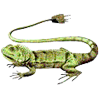
"Iguana iguana Powersurgius"
"Iguana iguana Powersurgius"
-
gaby

- Supermacaco
- Mensajes: 1614
- Registrado: 29 Mar 2006
buenisimo, ya tengo tarea para el hogar
Mac mini Intel Core I5 2,5 GHz, 4 GB RAM - MacBook 1,83ghz 1,25 gigas RAM HD 60 gigas Combodrive - PowerMac G4/350
Emergencia Macaca Online
Emergencia Macaca Online
-
Cin
- Übermacaco
- Mensajes: 19289
- Registrado: 28 Ene 2004

-
Juanjo:mac

- Macacodemente
- Mensajes: 7458
- Registrado: 19 Mar 2005
-
Sera

- Übermacaco
- Mensajes: 11145
- Registrado: 28 Ene 2004
LOL, esta es una buena para Juanjo che !
Si lo hace es como que se queda sin maquina ! ;)
Si lo hace es como que se queda sin maquina ! ;)
Serafin Patiño / Apple Certified Macintosh Technician
Macintosh for Productivity - Linux for Development - iPhone for Mobility - Windows for Solitaire
Emergencia Macaca Online
Macintosh for Productivity - Linux for Development - iPhone for Mobility - Windows for Solitaire
Emergencia Macaca Online